OER (Open Educational Resources) are freely-available, openly-licensed teaching materials that are used in place of commercial textbooks.
If OER are available for your course and you would like your students to take advantage of them:
1. Log-in to FAST using your Haverford credentials or directly from emails you should be receiving from eCampus
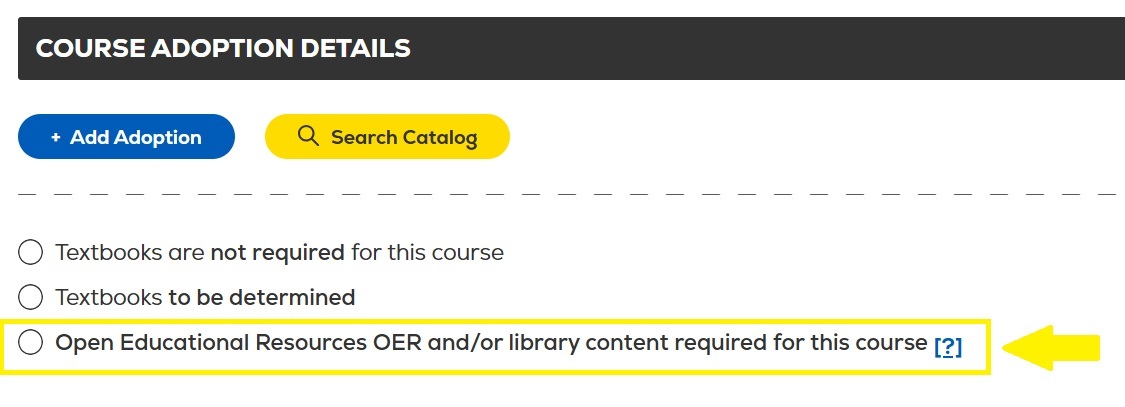
2. Once you've adopted a textbook for your course, select the last option at the top of the page
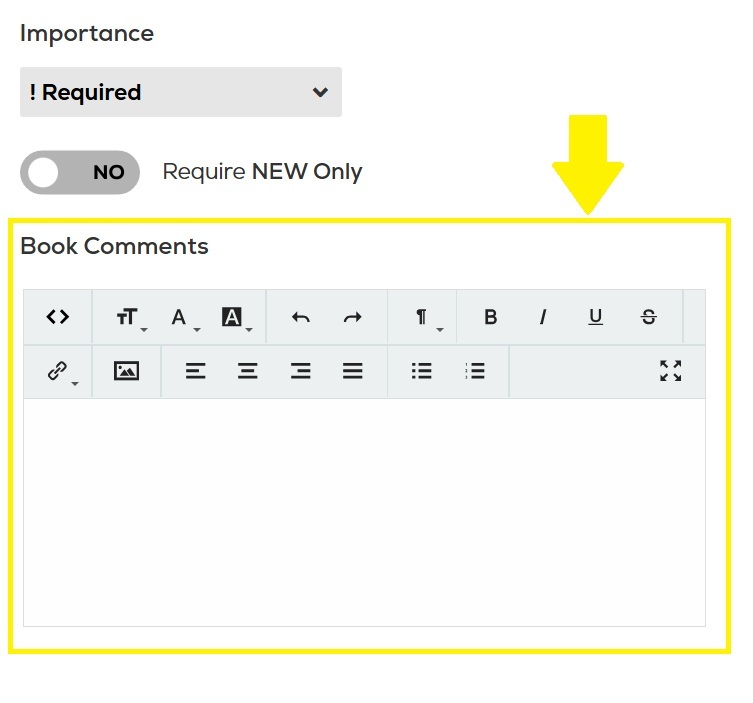
3. Inform students OER are available in the "Book Comments" section under each text. We strongly suggest increasing the font size/color, making the note bold, or both to make sure students see and take note
4. Adopt the textbook(s) so students have the option to purchase or rent print copies
5. Email haverford@ecampus.com to request the removal of digital materials for purchase or rent from your course listing
We support the use of OER and also want to offer students the opportunity to purchase print copies of course materials, if they so choose.
If you have any questions about this process, please email lwhitela@haverford.edu